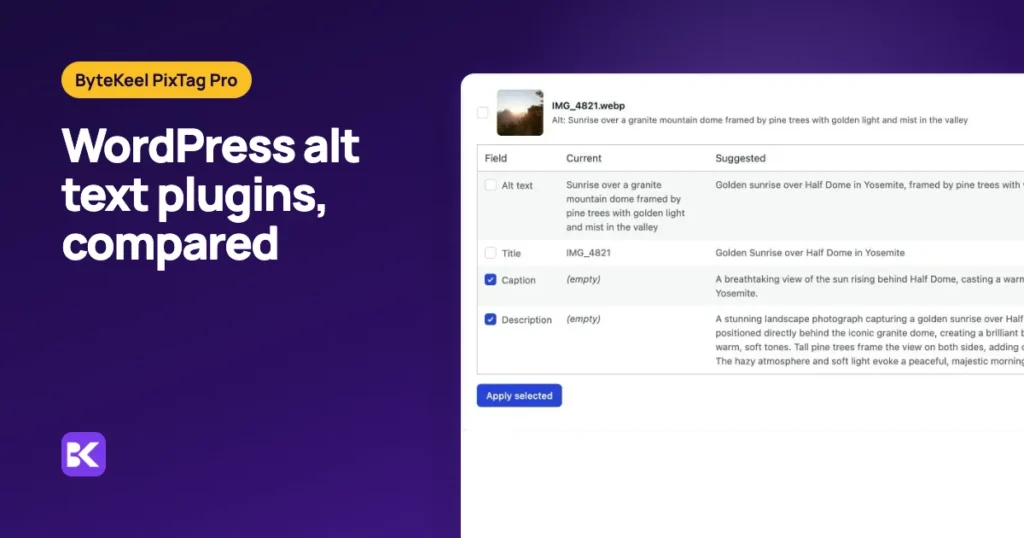
Some SEO plugins already add alt text from image filenames. Rank Math can do this at runtime, and SEOPress can fill image fields from filenames on upload. So if your plugin already handles your images the way you need, you may not need another one.
In short:
- Filename-based alt text: Rank Math and SEOPress offer filename-based options; AIOSEO offers image attribute templates on Plus and above.
- Media Library behavior: Rank Math says its filename-based alt text is runtime-only. ByteKeel PixTag saves generated alt text and title in the WordPress Media Library.
- Camera-style names: ByteKeel PixTag does not turn names such as
IMG_1234into alt text. It can use a meaningful attachment title instead, or flag the image for review. - When Pro helps: ByteKeel PixTag Pro can inspect images whose filenames do not describe them, then suggest four fields for review.
We built ByteKeel PixTag at ByteKeel. This comparison explains what it adds, where other plugins may already be enough, and how their verified image features and prices compare.
What does each plugin do with image alt text?
The main difference is whether the tool uses a filename, a template, or the picture itself, and where the resulting text is saved.
| Plugin | Filename or template behavior | AI image alt text | Important detail |
|---|---|---|---|
| ByteKeel PixTag Free | Builds alt text from a filename, context template or hybrid. Saves alt text and, when enabled, title in the Media Library. | No | Leaves existing handwritten alt text alone by default. Flags camera-name images that have no useful attachment title. Does not automatically run on upload. |
| ByteKeel PixTag Pro | Includes the free plugin’s filename and template options. | Yes | One credit can produce alt text, SEO title, caption and description. Review fields before saving. |
| Rank Math | Free Image SEO can add missing alt attributes from filenames at runtime. | Separate Rank Math AI subscription | Rank Math says the runtime alt does not change the Media Library value. Starter includes 50 AI alt-text uses per month. |
| SEOPress | Free Image SEO can set alt and other image fields from filenames on upload. | PRO or AI Credits | Bulk AI suggestions have a review step before saving in PRO 10.4. |
| Yoast | Flags non-descriptive alt text; it does not fill alt text from filenames. | WooCommerce SEO or Yoast SEO AI+ | The documented AI alt-text workflow is for WooCommerce product images. |
| AIOSEO | Plus and higher can set image fields from templates. | AI generation is available from the Media Library | Whether template-based alt text is stored in the Media Library or only applied on output is unconfirmed in the cited documentation. |
Which options already handle filename-based alt text?
Rank Math and SEOPress both have documented filename-based options. Rank Math’s free Image SEO setting adds missing alt attributes dynamically, so the Media Library can still show an empty alt field. SEOPress documents setting alt text from the filename on upload and updating alt text on already inserted images.
AIOSEO Plus and higher can use smart-tag templates for image attributes, including alt text, title, caption, description and filename. Its documentation also describes Media Library tools for image attributes. The supplied documentation does not confirm whether template-based alt text is stored in the Media Library or applied only on output.
Yoast’s free and Premium analysis can flag unhelpful alt text such as IMG_1234, but the cited Yoast sources do not describe filename-based alt text generation. The documented AI option is in Yoast WooCommerce SEO or Yoast SEO AI+ and applies to product images.
What happens when a filename is IMG_1234?
ByteKeel PixTag does not use camera-style names such as IMG_1234, DSC01234 or Screenshot… as alt text. PixTag can use a meaningful attachment title instead. If none is available, it marks the image “Needs review.” The official Rank Math, SEOPress, AIOSEO and Yoast documents checked for this comparison do not describe the same skip-and-flag behavior. That does not confirm how those tools handle every camera-style filename.
When is ByteKeel PixTag Pro useful?
PixTag Pro is for cases where a filename or template cannot describe what is actually in the image. The docs compare filename alt text vs AI vision with examples. Its AI looks at the picture and can suggest alt text, SEO title, caption and description for one credit. You can review the fields before anything is saved; a filled field is replaced only when overwrite is enabled.
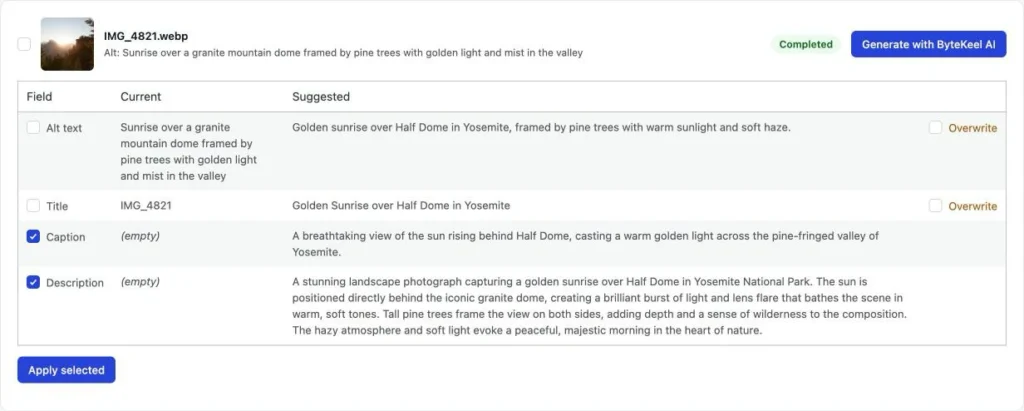
The workflow also includes automatic generation on upload, bulk processing with filters and a five-image preview, pause and resume, an image manager, CSV import and export, and an unused-media finder. You can try the PixTag Pro playground before installing it. The four WordPress image fields are explained in a separate guide.
The free plugin has a different job. It uses filenames and context templates, runs on your site, requires no API key, and has no per-run or daily limit. It does not use AI or inspect the picture. It also does not add alt text automatically on upload or post save; you run it per image or in bulk.
How do the prices and image limits compare?
Compare both the billing period and the type of allowance. A monthly image allowance, annual credit bundle and general AI credit pool are not the same thing.
| Tool or plan | Verified price | Image or AI allowance | Notes |
|---|---|---|---|
| ByteKeel PixTag Free | Free | Unlimited; no per-run or daily limit | No AI or API key. |
| ByteKeel PixTag Pro Personal | $4/month or $29/year | 200 credits/month | One credit per standard image and four suggested fields. A new annual plan is 50% off for its first year until 1 December 2026, 00:00 UTC: $14.50 first year, then $29/year unless cancelled. |
| Rank Math AI Starter | About $40.68/year at the advertised sale price | 50 alt-text uses/month | Separate annual AI subscription. Regular USD renewal price was not confirmed as one figure in the source checked. |
| SEOPress PRO / AI Credits | PRO from $49/year; AI Credits from $19/month | Monthly AI credit allowance not stated | SEOPress says AI Credits can generate image alt text, caption and description; the allowance was not printed in the source checked. |
| Yoast WooCommerce SEO | $178.80/year, excluding VAT | Numeric monthly alt-text cap not published | The cited AI workflow is for product images. |
| AIOSEO Plus | About $99.60 first year in pricing-page JSON-LD | Shared AI credit pool | Plus is where Image SEO starts; credits are shared with other AI features, not an alt-only allowance. |
| AltText.ai Bronze | $5/month or $49/year | 100 credits/month or 1,200/year; 25 free credits to start | One credit generates an accessibility-friendly description for one standard image. |
| ImageSEO Starter | €47.99/year | 100 images/month | AI alt text and filenames. The page’s €4.99/month equivalent is implied by its stated annual saving; it was not separately captured as a monthly sticker price. |
| AltText.io Silver | $19/month | 600 image credits/month | The page lists AI alt text, SEO titles and detailed descriptions; one credit per “SEO image.” No annual price was listed. |
Each tool name links to the vendor’s pricing or product page used for this comparison. Check the current terms before purchase.
PixTag Pro’s regular $29 annual entry price is below the listed AltText.ai Bronze annual price of $49, ImageSEO Starter at €47.99/year, Yoast WooCommerce SEO at $178.80/year and the AIOSEO Plus first-year figure of about $99.60. AltText.io Silver is $19/month, with no annual price listed in the source checked.
Rank Math AI Starter’s advertised annual sale price of about $40.68 sits in a similar price band to PixTag Pro’s regular $29 annual price. Rank Math is a general AI suite with 50 alt-text uses per month on Starter; PixTag Pro uses one credit per image to suggest four fields.
PixTag Pro Personal includes 200 credits per month. That is more monthly image credits than AltText.ai Bronze (100) and ImageSEO Starter (100), and fewer than AltText.io Silver (600). If you need more than 200 AI images a month, compare the higher allowances and the billing terms before choosing.
When might you not need ByteKeel PixTag or Pro?
You may not need PixTag if another workflow already covers your images.
- You write alt text by hand: Keep doing that if it fits your workflow.
- SEOPress is enough: Its filename-on-upload feature may cover your needs.
- Runtime alt is enough: Rank Math may suit you if you only need filename-based alt in page output and do not need it saved in the Media Library.
- You need more AI images: A dedicated tool with a higher monthly allowance may suit you better than PixTag Pro Personal.
- You need product-image AI in Yoast: Yoast WooCommerce SEO documents AI alt text for product images.
A practical way to choose
- Name files clearly: A descriptive filename gives filename-based tools useful information. See how file names become alt text in ByteKeel PixTag.
- Review AI suggestions: Check whether the proposed text describes the image in context.
- Keep useful handwritten text: PixTag’s default bulk scope avoids changing existing alt text. More on protecting hand-written alt text.
- Try before installing: Use the PixTag Pro playground or get ByteKeel PixTag Free on WordPress.org.
If you are considering Pro, see the current ByteKeel pricing and 30-day refund terms. The first-year annual offer described above ends at 00:00 UTC on 1 December 2026.
Frequently asked questions
Does Rank Math save its filename alt text in the Media Library?
No. Rank Math’s documentation says its filename-based alt text is applied dynamically at runtime and does not change the actual alt text stored in the Media Library.
Does ByteKeel PixTag use IMG_1234 as alt text?
No. It does not use IMG_1234 as alt text. It can use a meaningful attachment title instead. Otherwise it marks the image “Needs review.”
How many images can ByteKeel PixTag Pro Personal process with AI?
PixTag Pro Personal includes 200 credits per month, and one credit covers one standard image. It can suggest alt text, SEO title, caption and description for that image.
Is AI alt text included in Yoast SEO Premium?
The cited sources place Yoast’s AI alt-text workflow in Yoast WooCommerce SEO or Yoast SEO AI+, not Yoast SEO or Yoast SEO Premium alone. The documented workflow is for WooCommerce product images.
Is ByteKeel PixTag Pro’s preview unique?
No. PixTag Pro offers review before saving, but SEOPress PRO 10.4 and Yoast WooCommerce SEO also document reviewing AI suggestions before they save.
More about ByteKeel PixTag Pro
-
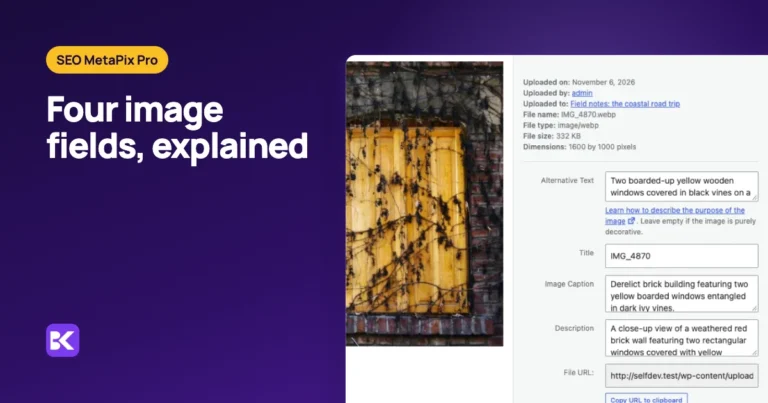
WordPress image metadata, explained
WordPress image metadata is four text fields: alt text, title, caption and description. This guide covers what each does, which one Google and screen readers use, what WordPress reads from EXIF and…
Leave a Reply