

Divi Smart PopupDivi 5 popup plugin · Premium
Divi 5 popup plugin: Describe the popup. ByteKeel AI builds it.
Say what you want in plain words. ByteKeel AI designs it with native Divi 5 modules and sets when it opens, ready for you to review.
Black Friday: 50% off your first year. Ends 1 December.
- Native Divi 5 modules
- No cookies
- 30-day refund
Recorded on our demo site, sped up 1.25×. No code written.
ByteKeel AI
Create a popup with AI, then ask AI to change it
- Describe the popup in plain words. ByteKeel AI designs it with native Divi modules; built-in rules read when, where and how often it should open.
- Ask AI to change it, for example the button colour and the offer.
- Review every proposed change, current and new side by side, before anything is saved.
- Apply it, or undo it in one click. Then the popup opens on the site.
Powered by ByteKeel AI
Not just another popup plugin. Describe it, and ByteKeel AI builds it.
Native Divi modules, every change shown before it is saved, and one-click undo. Included in both plans, with no AI account or API key.
Honest first
Divi 5 already has popups. This runs them.
Divi 5 on its own
- Works: Open on click
- Works: Open after a delay
- Partly: Scroll depth, by a workaround
- Partly: Hide again with a cookie condition
- Not available: Exit intent
Enough for a popup that only opens on click. See the native method
Divi Smart Popup adds
- ByteKeel AIDescribe it, or ask AI to change it
- TargetingPages, visitors, roles and devices
- SchedulingA start and end date
- FrequencyPer visit, every few days, once
- 37 templatesPromo, sign-up, video, bars, login
- Test modeTry it live; only you see it
- AnalyticsAnonymous views and responses
- Import and exportCopy popups to another site
How it decides
Right visitor. Right moment.
Three everyday jobs, and the settings that do them.
Catch readers before they leave
A reader is halfway through a blog post and moves to close the tab. Your “10% off your first order” popup opens.
The settings
- Opens
- Where
- How often
Or open it after a few seconds, on scroll, on a click, when they stop moving, after a few pages or from a campaign link.
Never in the way of a sale
Cart and checkout stay clean, and people who already signed up stop seeing the offer.
The settings
- Hidden on
- Who
- Stops
Choose any page, post, category, search or 404 page, and which roles and devices see it.
Not on every visit
A returning visitor sees it once, then gets a week off. Close it, and it stays away for two weeks.
- 1
- 2
- 3
- 4
- 5
- 6
- 7
- 8
- 9
- 10
The settings
- How often
- After a close
Or every time, once per visit or only once. Remembered in the visitor’s browser, no cookies.
Limits Cap how many popups one visitor sees in a visit. Off by default.
Priority Two popups at once? The more important one goes first.
Targeting
Who sees it, and on which device.
Everyone, logged-out visitors or logged-in users, on desktop, tablet and phone. Checked in the visitor’s browser, so it works with page caching.

Speed
Light on your pages.
Divi Smart Popup loads only where a popup can open.
- 0 fileson pages where no popup can open
- 11.5 kBof script and style where one can, the same for 1 or 7 popups
- No cookieshow often a visitor saw it stays in their browser
- Cached pagesdevice, frequency and trigger rules still apply
Measured on our Divi 5.2 test site on 10 November 2026: Chrome, logged out, browser cache off, three runs per page. How we measured
Built in Divi 5
Built where you already build.
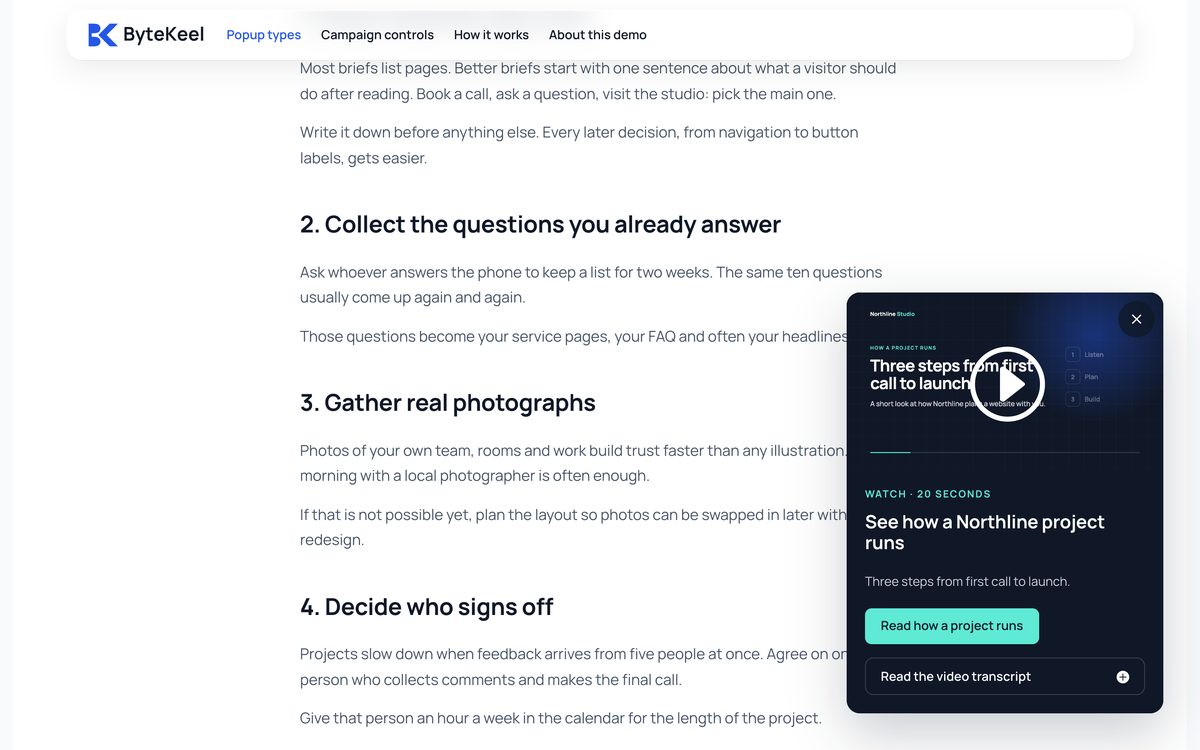
Design with Divi modules. Seven popup types, each a working campaign you can open.



37
supplied templates
Start from one of them or from a blank design, then configure the campaign around it.
Before you go live
Check it before visitors see it
Real screens from the demo site.
- 01
See why it opens
Open any page and see which rule lets the popup open, and which one holds it back.

- 02
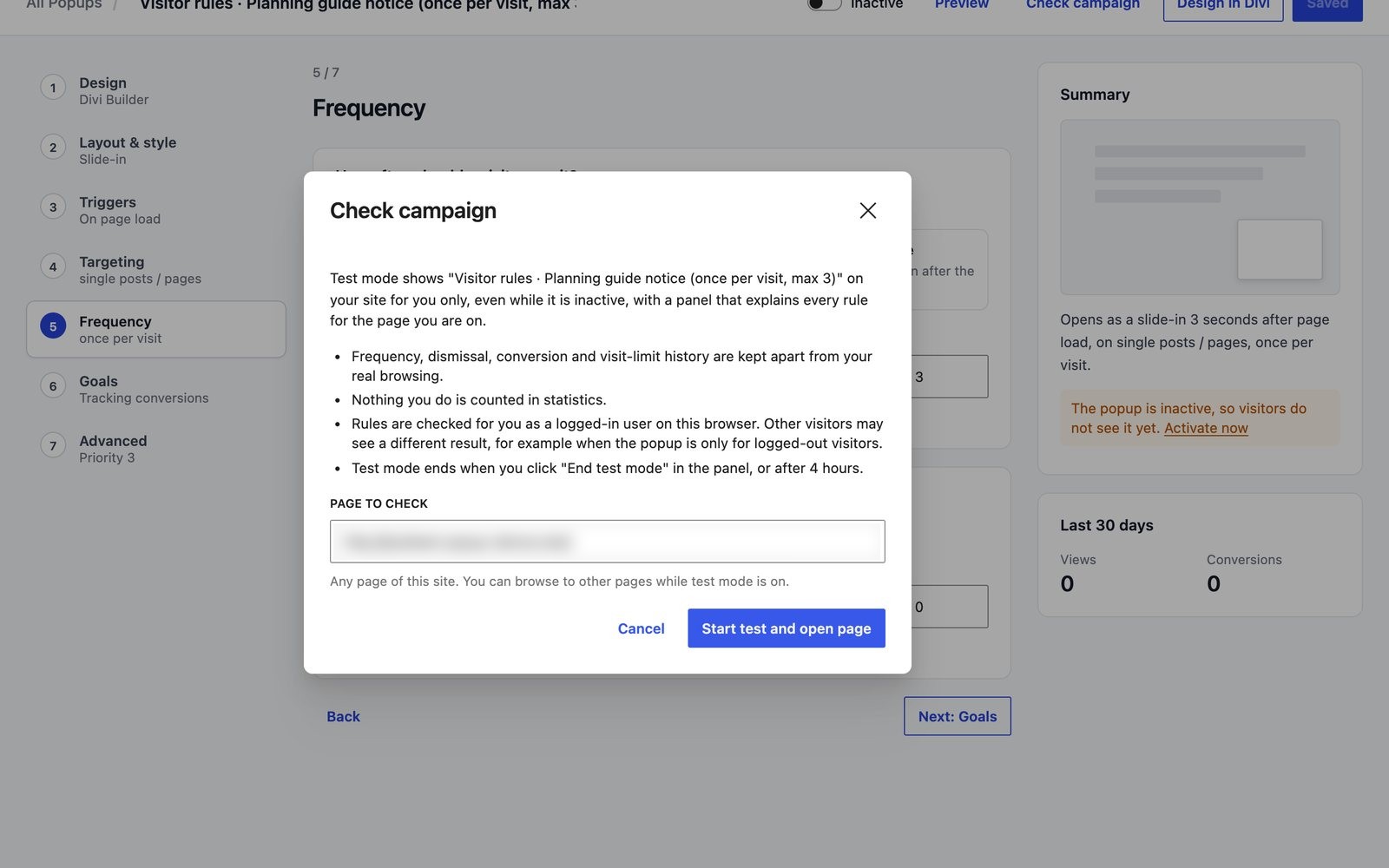
Try it safely
Test a popup on your live site. Only you see it, and test views are not counted.
- 03
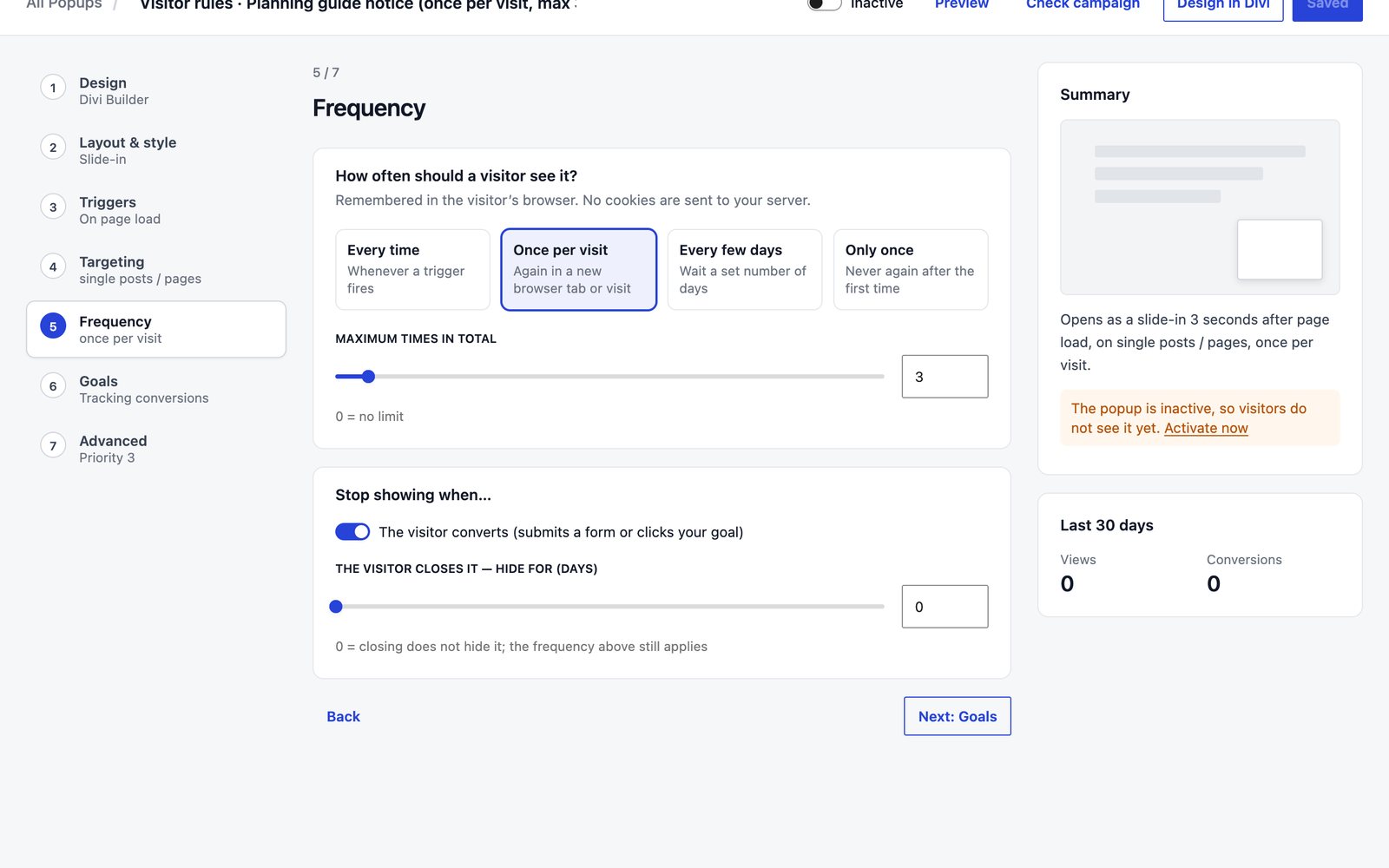
Show it just enough
Once per visit, every few days or only once, and stop once they sign up.
Two plans. Every feature in both.
ByteKeel AI is included in both. Only the number of sites differs.
Black Friday — 50% off your first year of an annual plan, until 1 December 2026, 00:00 UTC. Renews at the regular annual price unless cancelled.
Single Site
1 live website, plus its staging site
Regular price $29 $14.50 first year
Renews at $29/year unless cancelled
$29 a year
Renews at $29/year unless cancelled
$7 a month
Renews at $7/month unless cancelled
Or $7/month, billed monthly
Or $14.50 for the first year, billed yearly
Or $29/year, billed yearly
100 ByteKeel AI credits a month
Describe a popup and ByteKeel AI builds it with native Divi modules. Then ask AI to change it.
No AI account or API key
- All 7 popup types and 37 templates
- Targeting, triggers and frequency
- Campaign checker and safe test mode
- Campaign transfer and CSV export
- Updates and support while active
Best value
Multi Site
Unlimited websites, client sites included
Regular price $59 $29.50 first year
Renews at $59/year unless cancelled
$59 a year
Renews at $59/year unless cancelled
$12 a month
Renews at $12/month unless cancelled
Or $12/month, billed monthly
Or $29.50 for the first year, billed yearly
Or $59/year, billed yearly
500 ByteKeel AI credits a month
Describe a popup and ByteKeel AI builds it with native Divi modules. Then ask AI to change it.
Shared by all your sites · no AI account or API key
- All 7 popup types and 37 templates
- Targeting, triggers and frequency
- Campaign checker and safe test mode
- Campaign transfer and CSV export
- Updates and support while active
Prices in USD, excl. VAT/sales tax, added at checkout by Paddle, our merchant of record. ByteKeel AI needs an active licence. Up to 20 credits per site a day. 30-day refund policy.
Questions
Divi Smart Popup FAQ
Divi Smart Popup is a paid popup plugin for Divi 5 only: you design popups in the Divi 5 Visual Builder, choose from 7 popup types and 7 triggers including exit intent, and target them by page, post type, role, device and dates with frequency caps; ByteKeel AI, which needs an active licence, can build a popup from a plain-language description.
No. Divi 5’s Interactions can show and hide a section on click, after a delay or when part of the page scrolls into view. Divi Smart Popup is for what that method leaves out: exit intent, frequency rules, targeting, keyboard and Escape handling, and statistics. See the native method.
It requires the Divi 5 theme or a Divi 5 child theme. Divi 4, Extra and the standalone Divi Builder plugin are not supported. The current release was last tested with Divi 5.2 and WordPress 7.1.
Yes. Device, frequency and trigger rules run in the visitor’s browser, so they still apply on cached pages. Page, role and schedule rules are decided when the page is built. Caching and popups explains the difference.
Not directly. Use Divi’s Email Optin module inside the popup, with Divi’s own provider connections, or the Divi Contact Form or your form plugin. Divi Smart Popup stores no form submissions.
No cookies. How often a visitor has seen a popup is kept in their browser’s local storage, and statistics are anonymous daily totals of views, closes and conversions.
From the blog
Divi 5 popup guides
Step-by-step guides, tested on real sites, with the versions we used.

Best Divi 5 popup plugin? Compared by use case
Divi 5's Interactions handle click-to-open popups for free. Once a popup should open by itself, on chosen pages and not on every visit, a plugin earns its place. Here is how the…

Build a Divi 5 popup campaign without code
Divi 5 opens a popup on click, but cannot decide when one opens by itself, where, or how often. Build the native click popup, then a full campaign in the Divi Builder.

Does exit intent work on mobile? We tested it
Classic exit intent needs a mouse pointer. See how a touch version reacts to a fast upward swipe, what our Divi 5 test measured and when another trigger is safer.
More answers
Divi popup questions, answered
Tested on Divi 5.2. The native Divi method first, the plugin where it adds something.
Create a Divi 5 popup without a plugin
The native method with Interactions and Conditions, step by step — and what it cannot do.
Open a popup from a button, image, link or menu
Native Click interactions, or a #link or CSS class that works in menus too.
Delay, scroll and exit-intent triggers
What Divi 5 does on its own, and how exit intent works on phones.
Email sign-up and contact form popups
Put a Divi form in a popup and control how often it comes back.
Divi popup not working?
Desktop and mobile checks for native Divi popups and for Divi Smart Popup.
Your next popup, live today.
Every feature in both plans. 30-day refund on first purchase.