Find and remove unused images
Scan the Media Library for images nothing on your site uses, review them and delete them safely with ByteKeel PixTag Pro Unused Media.
Run a scan
Open ByteKeel PixTag Pro › Unused Media and select Scan for unused images. Images are checked 25 at a time with a progress bar; large libraries take a few minutes. The result is a table with a preview, file name, dimensions, file size and upload date.
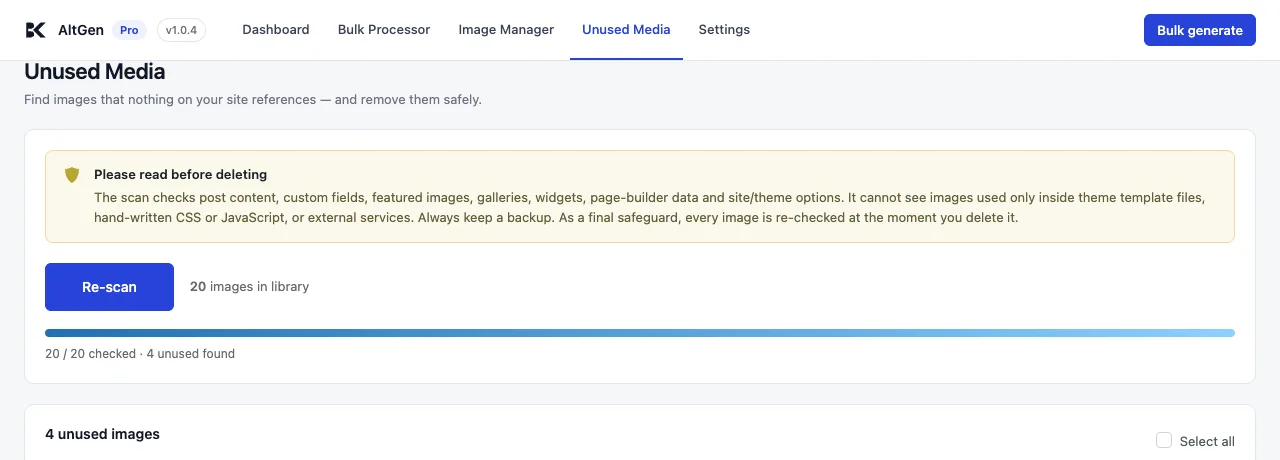
Before you delete anything, read will deleting unused images break Divi or Elementor pages? and, for a single file, how to find where an image is used in WordPress.
What counts as used
An image is left off the list if any of these is true:
- It is a featured image.
- It is attached to a post, page or product that is not in the bin.
- It is the site icon or the site logo.
- Its ID is stored in any custom field — page builders, ACF, WooCommerce galleries.
- Its file name appears in any post content or excerpt (revisions and drafts included), any custom field, or any site option — which covers widgets and theme settings.
- A developer has marked it as used with the
altgen_pro_image_is_referencedfilter.
This is deliberately cautious. The list can be shorter than the true number of unused images, but it should not contain an image your content references.
What it cannot see
Images referenced only in theme template files, hand-written CSS or JavaScript, emails, or other websites. If you use images that way, keep them outside the Media Library or protect them with the filter (see Hooks and filters).
Delete
- Tick the images to remove, or Select all.
- Tick I have a backup and understand this permanently deletes the selected files.
- Select Delete selected permanently.
Each image is checked again at the moment of deletion and skipped if it is now in use. The result reports how many were deleted, how many skipped, and the disk space freed. Deleted images skip the bin: the file and all its sizes are removed.
Take a full backup of files and database before deleting media. Deleted files cannot be restored from WordPress.
Worried about page builders? Read Will deleting unused images break Divi or Elementor pages?
Did this answer the question? No — open a support request