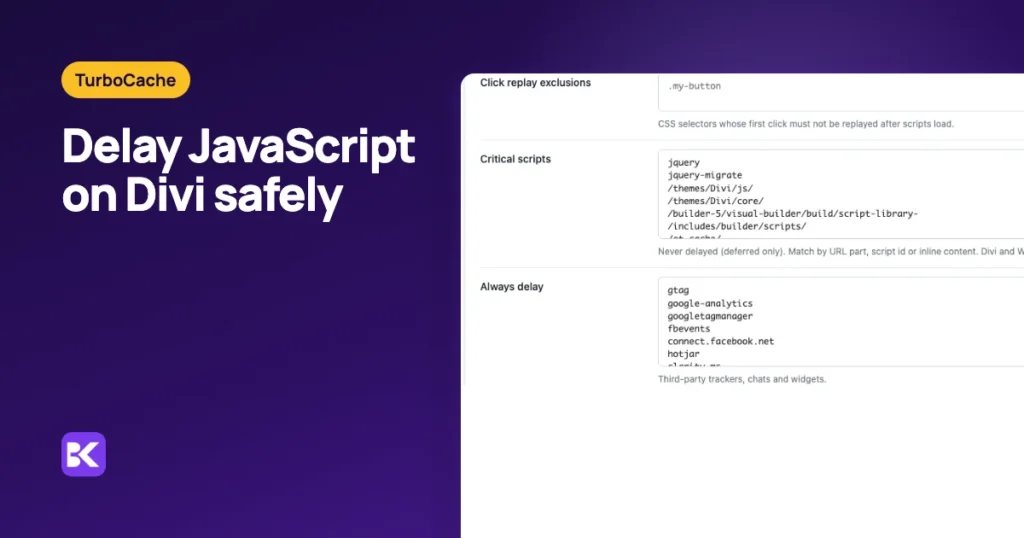
In short:
- Safe to delay: analytics, tag managers, ad pixels, chat widgets and heavy embeds, after you test them.
- Never delay: jQuery, Divi's own scripts, WordPress core and WooCommerce. Defer them instead, so they are ready for the first tap.
- Two taps means a wrong delay: the first tap loads the delayed script instead of opening the menu.
- Test the first tap: load the page fresh on a phone and tap the menu once, before scrolling. It should open.
The fastest way to delay JavaScript without breaking Divi
The fastest route is a delay feature that already knows which Divi scripts handle the first tap. Building that list by hand means reading script names, guessing which one runs the menu and retesting on a phone after every change.
We built TurboCache at ByteKeel to take that guesswork out on Divi sites. Its built-in critical list keeps jQuery, Divi 4 and Divi 5 core scripts and WordPress core deferred but never delayed. A tap made before delayed scripts arrive is replayed, and self-diagnostics flags Divi options that would defer the same files twice.
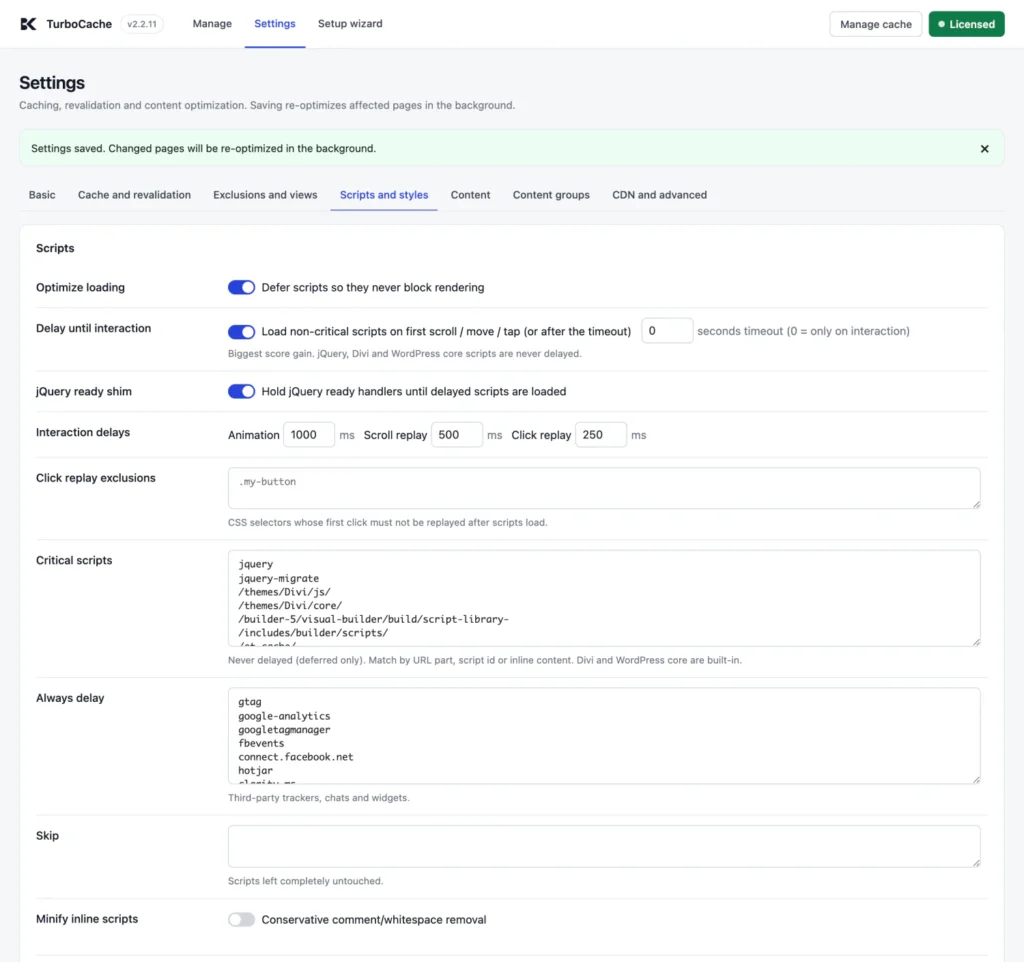
You can try it on a private WordPress in the ByteKeel playground. If you are setting up delay in another tool, here is what to delay, what to keep and how to test it.
What is the difference between defer and delay?
Defer downloads a script in parallel and runs it once the page is parsed. Delay does not download it at all until the visitor scrolls, moves the pointer or touches the screen.
| Treatment | What happens | Use for |
|---|---|---|
| Defer | Downloads in parallel, runs after the page is parsed, without blocking rendering | Your theme and plugin scripts, jQuery, Divi |
| Delay | Not downloaded at all until the first scroll, move or tap (or a timeout) | Analytics, tag managers, ad pixels, chat widgets, embeds |
| Critical (never delayed) | Deferred only, so it is ready before the visitor's first tap | Anything that handles the first click: menus, toggles, tabs, sliders |
A lab test that never interacts sees less JavaScript, so its score may rise. The result that matters is a faster page whose first real tap still works.
Why does delaying JavaScript break the Divi mobile menu?
The menu breaks because its click handler lives in a script that is waiting for an interaction. On a phone, the visitor's first touch is often the tap on the menu, so that tap starts the download and is over before the handler exists.
Divi makes this more likely, because its menu, toggles, tabs, accordions and animations run on its main script and jQuery. If either waits, everything built on them waits too. On desktop the mouse usually moves before the click, which loads the scripts in time, so the bug can hide until you test on a phone.
How to delay JavaScript on Divi without a dead menu
Divi's Performance options had no delay setting on our test site, so this happens in your cache or optimisation plugin. These steps work in any of them, fastest first:
- Turn off Divi's script options: in Divi › Theme Options › General › Performance, switch off Defer jQuery and jQuery Migrate, Load jQuery in Body and Minify and Combine JavaScript Files while another tool handles scripts.
- Use one delay feature: if your host, a separate delay plugin and your cache plugin all delay scripts, pick one.
- Exclude Divi from delay: add
jquery,/themes/Divi/andet-coreto the exclude list, plus your child theme's menu script if it has one. - Exclude WooCommerce too: on a shop, keep
woocommerceandwc-scripts deferred, not delayed, so add-to-cart works first time. - Delay third parties only: put analytics, tag managers, pixels and chat on the delay list, then add others one at a time.
- Keep menu styles critical: if critical CSS is generated, keep the open-state classes
et_mobile_menuandmobile_navin the critical part, or the menu opens unstyled. - Clear the cache and test: run the first-tap test below on a phone.
In TurboCache, a script on the Always delay list is delayed even if it also matches the critical list; only jQuery is exempt. Never add Divi's scripts or your child theme's menu script there.
How to test the first tap
Speed scores do not tell you whether the menu works; a fresh tap on a phone does. On a real phone, in a private tab so nothing is already loaded:
- Tap the menu: open the page and, without scrolling, tap the menu once. It should open.
- Tap a toggle: reload, then tap the first toggle or tab without scrolling. It should respond.
- Watch sliders: reload and wait ten seconds without touching anything. Auto-play sliders may wait for interaction; decide whether that matters.
- Use forms and cart: submit a form and add a product to the cart. Both should work first time.
- Check the console: on desktop, look for red errors after the first mouse movement.
We automated step 1 in headless Chrome, emulating a 390 × 844 Android phone with touch input, on a Divi test page with TurboCache 2.2.11 at its defaults. The tap came 0.5 to 0.7 seconds after the page started loading, before any scroll.
| Run | Tap after | Menu open after one tap? | JavaScript errors |
|---|---|---|---|
| 1 | 656 ms | Yes | 0 |
| 2 | 531 ms | Yes | 0 |
| 3 | 528 ms | Yes | 0 |

If your menu needs a second tap, something it depends on is still delayed. Add part of that script's file name to your critical or exclude list, clear the cache and test again. Our guide to the Divi mobile menu needing two taps covers third-party menu plugins too.
Native Divi 5 vs TurboCache for delayed scripts
Divi 5 can defer jQuery, but on our test site it offered no way to hold back trackers until the first interaction. TurboCache adds the delay and the safety rules around it.
| Criterion | Native Divi 5 | TurboCache |
|---|---|---|
| Delay until interaction | Not among Divi's Performance options on our test site | On by default, timeout 0 (interaction only) |
| Divi and jQuery protection | Not needed, nothing is delayed | Built-in critical list, deferred but never delayed |
| First tap before scripts load | Not applicable | Replayed after 250 ms by default; Divi's own controls left to Divi |
| Trackers and chat | Load with the page | Always delay list covers common trackers and chats |
| Testing safely | Use a staging copy | Test mode shows the result to administrators only |
| Cost | Free | $39 a year for one site; runs only with an active licence |
When you do not need TurboCache: your site loads few third-party scripts, or your current optimiser already delays them and passes the first-tap test. In that case, keep what you have.
How to keep delayed scripts safe after updates
Four habits stop a dead menu from coming back:
- Retest the first tap: after every theme, plugin or header change.
- Add new scripts one by one: put a new tracker on the delay list, then retest.
- Keep one owner per job: never let Divi and a plugin both defer or combine scripts.
- Use test mode first: try changes as an administrator before visitors see them.
For every control, see the TurboCache Scripts and styles reference, or review TurboCache itself. Delayed scripts are one cause of a slow page; why is my Divi site slow? covers the rest.
Frequently asked questions
Why does the Divi mobile menu need two taps?
The first tap loads a delayed script instead of opening the menu. Keep jQuery and Divi's scripts out of the delay, clear the cache and retest in a private mobile tab.
Will excluding jQuery from delay hurt my PageSpeed score?
A little, but less than you might expect while jQuery is still deferred. Most of the gain comes from third-party scripts such as analytics, chat and social widgets, which stay delayed.
Should I use a timeout for delayed scripts?
A timeout of a few seconds loads delayed scripts for visitors who never touch the page. It does not fix the first-tap problem; keeping menu scripts critical does.
Can I use Divi performance settings and a cache plugin together?
Yes, but never let two systems combine, defer or delay the same scripts. Give each job one owner, then test the public page while logged out.
More about TurboCache
-
Why is my Divi site slow? Causes and fixes
Your Divi page shows a blank screen, then everything appears at once. Or the text loads fast but the big header photo takes ages, especially on your phone. Each symptom points to…
-

WooCommerce cache exclusions, tested
Your store got faster after you turned on page caching, but now you are not sure the cart and checkout are safe. Here is the tested bypass list and the header check…
Leave a Reply