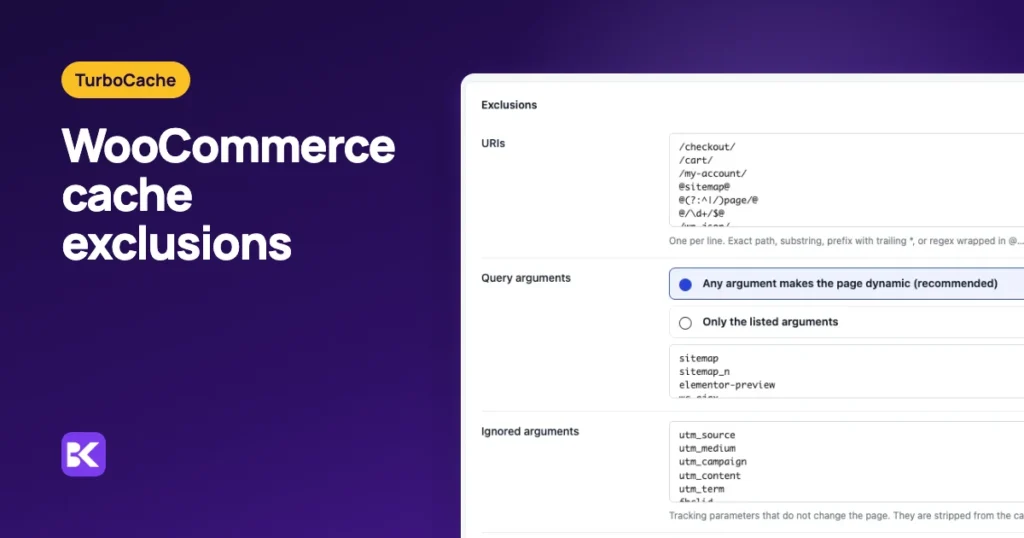
In short:
- Never cache these: cart, checkout, My Account, logged-in visitors and any visitor carrying the
woocommerce_items_in_cartcookie. - Always cache these: the home page, shop, categories and product pages for logged-out visitors with an empty cart.
- Three signals together: a good cache honours WooCommerce's no-cache flag, the cart and login cookies, and a path list as a safety net.
- Prove it from headers: request each page logged out, then with a cart cookie, and read the cache header.
The fastest way to check whether checkout is cached
The quickest check is the cache header on the checkout response, read while logged out with an item in the cart. A settings screen says what should happen; the header says what did. An admin testing while logged in never sees the cached copy.
We built TurboCache at ByteKeel to make that answer visible. Every page it serves carries an X-TurboCache-Cache header that says whether it came from the cache and, if not, why. Cart, checkout and account pages report BYPASS; reason=woocommerce-dynamic, and a visitor with something in the basket is caught by the cart cookie and a check of the cart itself.
You can try it on a private WordPress in the ByteKeel playground. If you are checking another cache or your host's, here is the safe list and how to test it by hand.
Which WooCommerce pages must never be cached?
Any page that shows one visitor's cart, details or account must skip a shared page cache. Served from cache, it can show one shopper's items or details to the next.
| Page or request | Why it must stay live |
|---|---|
| Cart | Shows that visitor's items and totals |
| Checkout | Personal details, nonces, payment fields |
| My Account and its endpoints | Orders, addresses, downloads |
| Any page for a visitor with items in the cart | Mini-carts and cart counts in the header |
| Logged-in users | Admin bar, account names, member prices |
REST API, admin-ajax.php, wc-ajax |
Live data such as fragments and stock |
| Search results, feeds and previews | Personal, frequently changing or private |
Everything else can and should be cached for a logged-out visitor with an empty cart. That is where the speed gain on a shop comes from.
How does a cache know which pages to skip?
A safe cache uses three signals together rather than a single list, so one missed rule does not leak a cart:
- Pages that ask not to be cached: WooCommerce marks its cart, checkout and account pages with the
DONOTCACHEPAGEconstant and no-cache headers. - Cookies: WooCommerce sets
woocommerce_items_in_cartas soon as something is added, and WordPress sets a login cookie. A visitor carrying either should not get the shared copy. - Address rules: a path list such as
/cart/,/checkout/and/my-account/catches pages a theme or translation marks differently.

If you have translated or renamed the cart or checkout pages, add their real paths. The constant and the cookie still protect you, but the path list is your safety net.
How to check your own store from the cache header
Most cache plugins add a response header that says whether a page came from the cache. TurboCache's is X-TurboCache-Cache; others use names such as X-Cache, cf-cache-status or x-litespeed-cache. Check in this order:
- Log out first: run the requests from a terminal, or use a private window, so no login cookie is sent.
- Request the cart three times: run the first command below and read the cache line each time. It should say bypass or no-cache, never a hit.
- Repeat for checkout and My Account: swap the address. Checkout with an empty cart redirects to the cart, so add a product first.
- Test with a cart cookie: run the second pair of commands, which adds a product and then requests the home page with the same cookie jar.
- Check a public page: request the shop page twice with no cookie. The second request should be a cache hit.
curl -s -o /dev/null -D - https://example.com/cart/ | grep -i cachecurl -s -o /dev/null -c jar -b jar "https://example.com/?add-to-cart=123"
curl -s -o /dev/null -D - -b jar https://example.com/ | grep -i cacheOur results on a test shop
We ran exactly those requests against a test store using WooCommerce 10.7, Divi 5.2 and TurboCache 2.2.11 with its default settings, three times per page. The last column is the time until the server started answering.
| Request | Cache header | Response time |
|---|---|---|
| Shop page, first visit | MISS (page built and stored) | 233 ms |
| Shop page, next visits | Served from cache | 5 ms |
| Product page, next visits | Served from cache | 5 ms |
| Cart | BYPASS: page asked not to be cached | 161–184 ms |
| Checkout with items in the cart | BYPASS: page asked not to be cached | 165–187 ms |
| My Account | BYPASS: page asked not to be cached | 161–173 ms |
| Home page with a cart cookie | BYPASS: excluded cookie | 153–160 ms |
| Search results | BYPASS: search | 160–187 ms |
| Feed | BYPASS: request type | 127–141 ms |
| REST API | Not handled by the page cache | 145–241 ms |
Every personal page bypassed the cache on every request, and the cacheable pages went from about 200 ms to about 5 ms. Logged-in visitors also bypass the cache by default; TurboCache's per-user cache is off unless you turn it on.
These results hold for that version on one test store. Your timings will differ, so look for the pattern: cached pages fast, personal pages always fresh.
Why does my cart still show cached content?
Usually a second cache layer or a removed rule is serving the page, not the cache you configured. Check these causes in order:
- Two page caches: a host cache and a plugin cache together often make exclusions inconsistent. Use one, or make sure the outer one honours WooCommerce's cookies. See conflicts with other cache plugins and hosts.
- A CDN caching HTML: if your CDN caches full pages, it needs the same path and cookie bypass rules, or it serves the cart before WordPress sees the request.
- A removed cart cookie: the cookie bypass is what keeps a header cart count correct, so never remove
woocommerce_items_in_cartfrom the cookie list. - A theme cart counter: if your theme prints its own counter that is not a WooCommerce cart fragment, guests may see the count from the cached page. Ask the theme author.
- Old prices: after a price or stock change, the product page must refresh. TurboCache refreshes it when the product is saved or its stock changes. With another cache, check that it does the same.
Campaign links are the opposite problem. Links with utm_ or gclid parameters should be stripped from the cache key rather than bypass it, or ad traffic always gets the slow page.
Host cache vs TurboCache for WooCommerce
A host cache that bypasses the right pages and cookies is enough for many shops. TurboCache adds a reason on every bypass and refreshes product pages on its own.
| Criterion | Host or generic cache | TurboCache |
|---|---|---|
| Cart, checkout, account bypass | Depends on the host's rules; test it | On by default, by page flag, path and cookie |
| Visitors with items in the cart | Only if the cart cookie is excluded | Cookie excluded and the cart itself checked |
| Seeing why a page bypassed | Varies; many show only hit or miss | Header names the reason |
| Price and stock changes | Manual purge or host plugin | Product page, archives and shop refreshed |
| Campaign links | Check your host's rules | Tracking parameters stripped from the cache key |
| Cost | Often included with hosting | $39 a year for one site; runs only with an active licence |
When you do not need TurboCache: your host's cache already passes every check above, including the cart-cookie test. Keep it, and repeat the checks after each host or plugin change.
If a TurboCache licence ends, it stops serving cached pages, clears its cache and switches its optimisations off. The shop keeps working, uncached, and your settings are kept for renewal.
How to keep cart and checkout safe after changes
Four habits stop a cached cart from coming back:
- Re-run the header checks: after every cache, CDN, host or theme change.
- Run one page cache: or make sure the outer layer copies the inner layer's bypass rules.
- Add renamed paths: whenever you translate or rename the cart, checkout or account page.
- Leave members uncached: keep logged-in caching off on a shop.
For the exact defaults, see the TurboCache WooCommerce cart and checkout guide, or review TurboCache itself. Never-cached pages run at your server's real speed, which why is my Divi site slow? covers.
Frequently asked questions
Should WooCommerce product pages be cached?
Yes, for logged-out visitors, as long as price and stock changes refresh the stored page. Cart, checkout and account pages stay uncached.
How do I know whether checkout is cached?
Add a product, request the checkout page while logged out and read the response headers. The result should say bypass, no-cache or an equivalent state, never a shared cache hit.
Can Cloudflare or a host cache override WordPress exclusions?
Yes. An outer HTML cache answers before WordPress runs, so it needs its own path and cookie bypass rules. Test the final response, not only the plugin's settings.
More about TurboCache
-
Why is my Divi site slow? Causes and fixes
Your Divi page shows a blank screen, then everything appears at once. Or the text loads fast but the big header photo takes ages, especially on your phone. Each symptom points to…
-
Delay JavaScript on Divi safely
Your Divi menu needs two taps on a phone, or a toggle ignores the first click, right after you turned on delayed JavaScript. Here is what to delay, what never to delay…
Leave a Reply