In short:
- Slow before anything appears: the server builds every page from scratch. A page cache fixes it for visitors; hosting fixes the rest.
- Blank, then all at once: CSS and jQuery in the page head block the first paint. Critical CSS and deferred scripts fix it.
- Big image loads last: the hero photo is far larger than the screen. Resize it before upload, because WebP alone saved 6% in our test.
- Slow on phones only: the same causes, made worse by slower processors and networks.
The fastest way to see why a Divi page is slow
The quickest check is whether the page you are timing came from a cache, and whether two tools rewrite the same CSS. Both are hard to see by hand, because you usually test while logged in.
We built TurboCache at ByteKeel to take that guesswork out on Divi sites. Every page it serves carries a response header that says whether it came from the cache and, if not, why (for example BYPASS; reason=logged-in). Its self-diagnostics flag Divi options that duplicate its work, and test mode shows the result to you before visitors see it.
You can try it on a private WordPress in the ByteKeel playground. If you are fixing this without a plugin, here is how to find and fix each cause by hand.
How we tested, and what changed
We timed a heavy Divi 5 showcase page (28 sections, every Divi module, WooCommerce and six other plugins) with and without TurboCache. Page loads used headless Chrome emulating a phone with a 4x CPU slowdown and slow 4G, median of 5 runs, with Google Maps, YouTube and Google Fonts blocked.
| Measure (phone emulation, median) | Without TurboCache | With TurboCache (cached page) |
|---|---|---|
| Server response, logged out | 318 ms | 10 ms |
| First contentful paint | 1.44 s | 0.39 s |
| Largest contentful paint (LCP) | 8.9 s | 7.5 s |
| Render-blocking files | 4 (51.5 KB) | 0 |
| Data before the first tap or scroll | 2.55 MB | 1.95 MB |
| Of which images | 2.08 MB | 1.52 MB |
The page started painting almost four times sooner, because the HTML came from the cache and nothing blocked rendering. But LCP only moved from 8.9 to 7.5 seconds, because the largest element is a photo and the photo was still large. These are lab numbers from one site, so yours will differ.
Why is my Divi site slow before anything appears?
A long wait before anything appears is server time: WordPress, Divi and every plugin run PHP and database queries to build the page on each visit. A page cache stores the finished HTML and sends that instead.
TurboCache serves cached pages from a drop-in that runs before WordPress loads, and our response fell from 318 ms to 10 ms. Any page cache helps here, including your host's. It does not help in three cases:
- Logged-in visitors: they bypass the cache by default (319 ms in our test), so test in a private window.
- Just after a purge: the first visit after clearing the cache is built from scratch (397 ms in our test).
- Never-cached pages: cart, checkout, account and search pages always run at your server's real speed. See WooCommerce cache exclusions, tested.
If those pages are slow, the fix is on the server: current PHP, enough PHP workers and memory, a faster host, or fewer plugins.
Why does my Divi page load blank first?
A Divi page loads blank first because the browser will not paint until it has downloaded the CSS and scripts in the page head. Our test page had four of these render-blocking files: two WooCommerce stylesheets, jQuery and jQuery Migrate, even with Divi's Defer jQuery and jQuery Migrate option on.
TurboCache brought the count to zero in three ways:
- Critical CSS: the CSS each template needs is inlined and the rest loads without blocking. First paint moved from 1.44 s to 0.39 s.
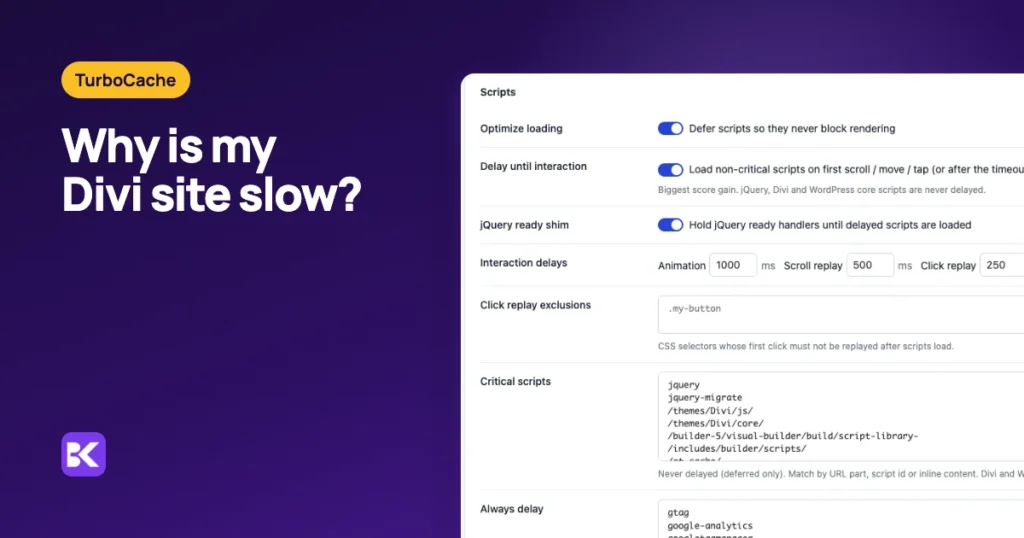
- Deferred scripts: jQuery, Divi and WordPress core scripts download in parallel and run after the page is parsed.
- Delayed scripts: trackers and chat widgets wait for the first scroll, tap or mouse movement.
Run only one tool for this job, because Divi's Critical CSS and jQuery defer options overlap with a plugin's and can leave a dead mobile menu. Our guide Delay JavaScript on Divi safely lists what never to delay.
How do I fix a slow Divi site without a plugin?
You can fix most of it with your host's cache and Divi's own settings, fastest first:
- Test logged out: open the page in a private window.
- Read server response: in Chrome DevTools › Network, reload, select the page document and open Timing. Google rates 0.8 s or less to first byte as good.
- Turn on one page cache: use your host's cache if it has one, and never run two.
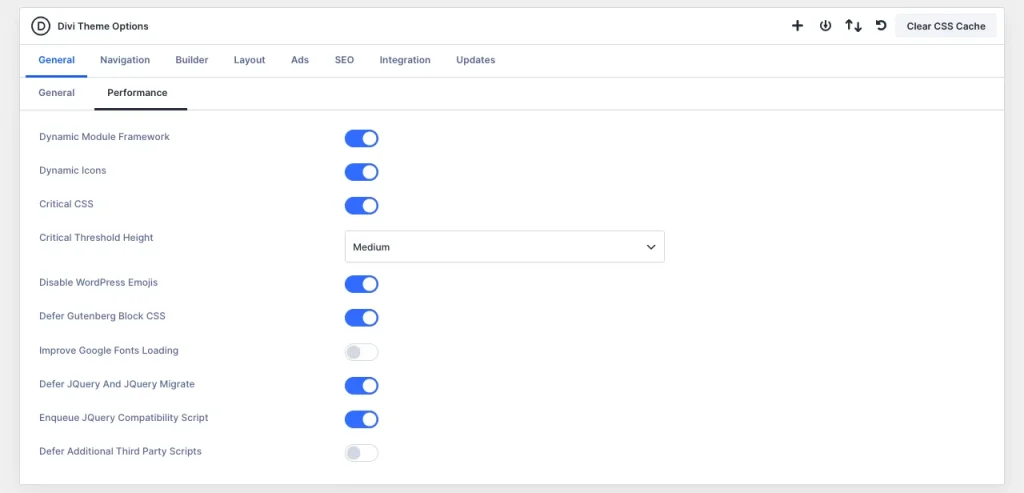
- Set Divi's Performance options: go to Divi › Theme Options › General › Performance. Keep Dynamic Module Framework and Dynamic Icons on, and turn on Critical CSS and Defer jQuery and jQuery Migrate.
- Find the LCP element: in DevTools › Performance, reload and look for the LCP marker.
- Resize that image: export it at about the largest width it is shown at, and prefer a Divi Image module over a section background for heroes.
- Cut spare embeds: remove maps, chat widgets and videos a page can do without.
Why is my LCP still slow?
LCP usually stays slow because the largest element on a Divi page is a hero photo, and caching does not make a big photo smaller. Ours was a header background: a 1600 × 1000 px JPEG of 336 KB on a 390 px phone screen.
TurboCache lazy-loads lower images and serves WebP copies, which cut image data from 2.08 MB to 1.52 MB. Two things limited the gain on this hero:
- CSS backgrounds: Divi 5 writes section backgrounds into its CSS, and TurboCache's default WebP delivery rewrites
<img>tags only, so the header stayed a JPEG. Its server-negotiated mode for CSS backgrounds was not part of this test. - Oversized file: even the WebP copy was 317 KB, only 6% smaller. The photo is several times wider than a phone screen, and a new format does not change that.
To stop camera-size uploads, our free WebP Auto Convert plugin converts new JPEG and PNG uploads to WebP and caps them at 2560 px. It does not change existing images.
What about videos, maps and other embeds?
Embeds slow a page because they pull in third-party code you do not control: our test page requested 16 to 17 files from Google Maps, YouTube and Google Fonts. TurboCache shows a still image instead of a YouTube or Vimeo player until someone clicks play. For maps and chat widgets, ask whether each page needs them.
Native Divi 5 vs TurboCache: which do you need?
With a good host cache, Divi 5's own settings may be enough. TurboCache adds delayed scripts, a per-page cache check and video facades.
| Criterion | Native Divi 5 and your host | TurboCache |
|---|---|---|
| Page cache | Only if your host provides one | Drop-in before WordPress loads (10 ms vs 318 ms) |
| Render-blocking files | Critical CSS and jQuery defer; jQuery still blocked in our test | 0 render-blocking files in our test |
| Trackers and chat scripts | Not among Divi's Performance options on our test site | Delayed until first interaction; Divi and jQuery never delayed |
| Finding the cause | DevTools and trial and error | Cache-status header, self-diagnostics and admin test mode |
| Video embeds | Manual | YouTube and Vimeo click-to-play facades |
| Cost | Free (host cache often included) | $39 a year for one site; runs only with an active licence |
When you do not need TurboCache: your host already gives you a page cache and optimiser you are happy with, or your slow pages are ones that can never be cached. In that case, spend the money on hosting first.
How to keep a Divi site fast after updates
Four habits stop most slowdowns from coming back:
- Test in a private window: after every theme, plugin or layout change.
- Run one optimiser: never stack Divi's Critical CSS with a plugin's.
- Resize before upload: keep hero photos close to the width they are shown at.
- Recheck LCP after updates: test on a phone in PageSpeed Insights.
To get these fixes in one plugin, see TurboCache or its setup wizard and recommended settings.
Frequently asked questions
Why is my Divi site slow even with a cache plugin?
Usually you are testing while logged in, which bypasses the cache, or the slow part is an image or embed. Test in a private window, then check your LCP element.
Why is my Divi site slow on mobile?
Phones have slower processors and networks, so every kilobyte costs more. More than 80% of the 2.55 MB our test page downloaded before any tap was images, so smaller images help most.
Will converting images to WebP fix my LCP?
Only if the image is already about the right size. On our test page the WebP copy of a 1600 px hero was only 6% smaller than the JPEG, so resizing saves far more.
Does caching fix a slow WooCommerce checkout?
No. Cart, checkout and account pages are never cached, so they run at your server's speed. Better hosting, more PHP workers and fewer checkout plugins help there.
More about TurboCache
-
Delay JavaScript on Divi safely
Your Divi menu needs two taps on a phone, or a toggle ignores the first click, right after you turned on delayed JavaScript. Here is what to delay, what never to delay…
-

WooCommerce cache exclusions, tested
Your store got faster after you turned on page caching, but now you are not sure the cart and checkout are safe. Here is the tested bypass list and the header check…
Leave a Reply