Admin screens and notices
What the Dashboard, Reports and Settings tabs under WooCommerce › Order Profit show, the Plugins screen links and the plugin’s notices.
WooCommerce › Order Profit
The plugin adds Order Profit to the WooCommerce menu. Only users who can manage WooCommerce see it. There is no licence lock screen: since version 1.1.7 the plugin needs no licence key (details).
- Dashboard: revenue, cost and profit for today, the last 7 days and the last 30 days, the top products by profit over 30 days, recent orders, a notice when products or variations have no cost yet, and Recalculate all orders.
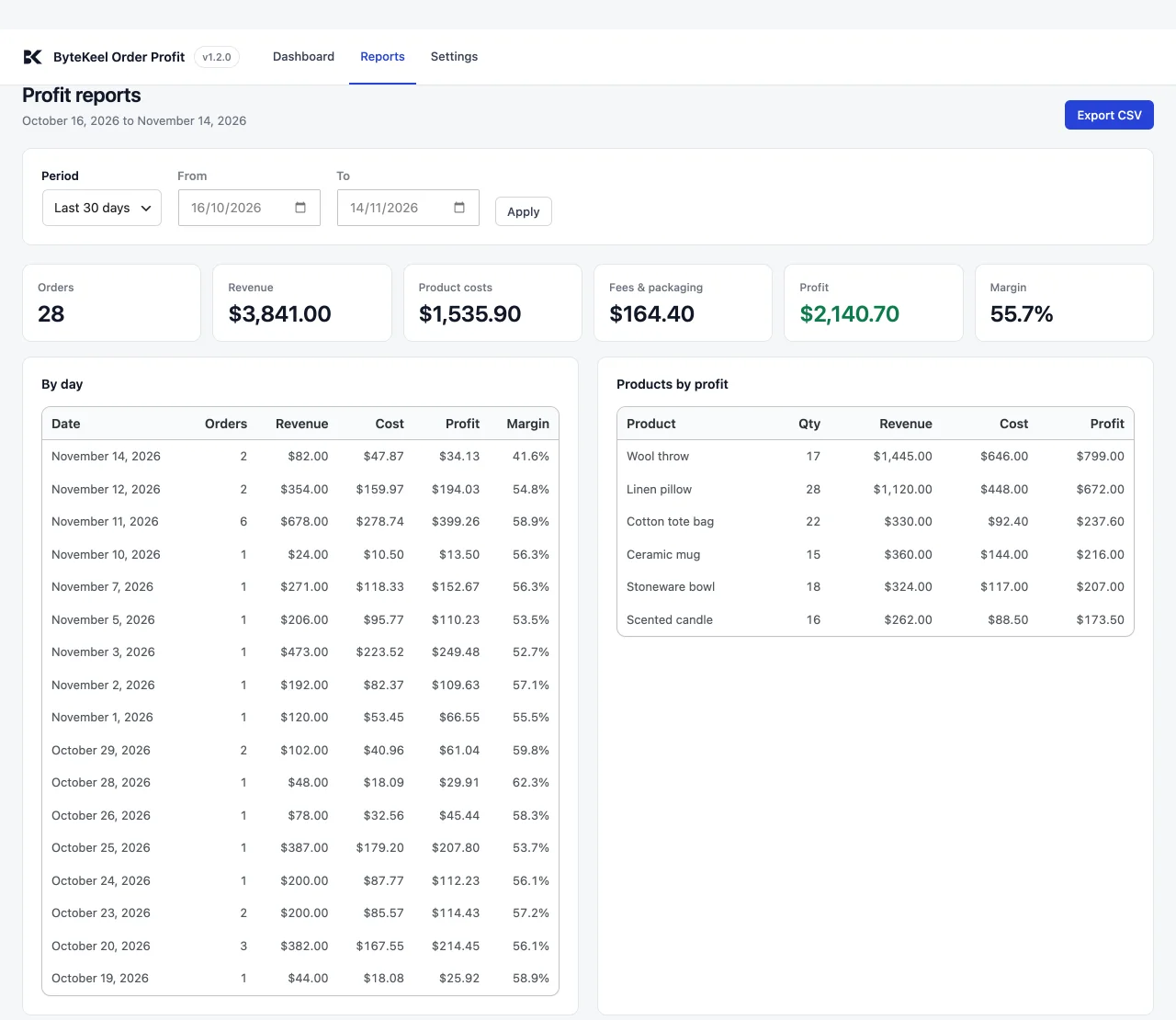
- Reports: totals, a day-by-day view, products by profit and the orders of any period, with Export CSV. The order list shows the latest 500 orders; the totals and the CSV include every order in the range.
- Settings: see Calculation settings.
Plugins screen
- Settings and Dashboard open the matching tabs.
- Licence: active / not active opens the licence dialog on bytekeel.com builds (older versions: Settings › ByteKeel licences).
Admin notices
- ByteKeel Order Profit is active. Shown on the WordPress dashboard, Plugins, the product list, the orders list and the plugin dashboard until you save the settings once or select Dismiss.
- … requires WooCommerce to be installed and activated. WooCommerce is missing or switched off.
- On the Reports tab, a note appears when orders in more than one currency are added together without conversion.
Did this answer the question? No — open a support request