Calculation settings
Every option on the ByteKeel Order Profit Settings tab: counted statuses, tax, shipping, recalculation, payment fee, packaging and display, with defaults.
Open WooCommerce › Order Profit and select the Settings tab (or the Settings link under the plugin on the Plugins screen). Select Save settings when you are done.
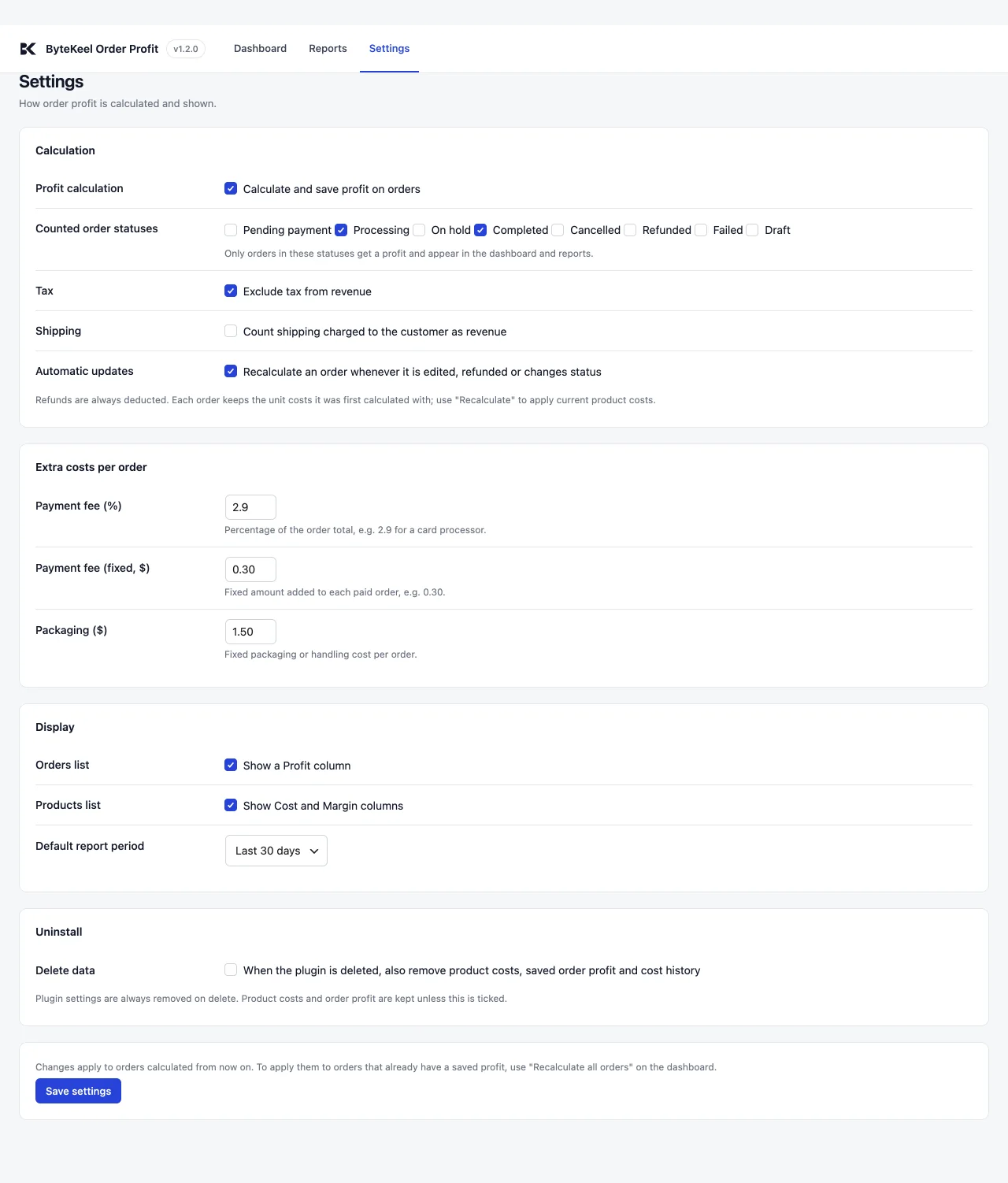
Calculation
| Setting | Default | What it does |
|---|---|---|
| Profit calculation | On | Calculate and save profit on orders. When off, nothing is saved and the dashboard shows live estimates. |
| Counted order statuses | Processing, Completed | Only orders in these statuses get a profit and appear in the dashboard and reports. When an order leaves them, its saved profit is removed. |
| Tax | Exclude tax from revenue: on | Removes the order’s tax (less refunded tax) from revenue. |
| Shipping | Count shipping as revenue: off | By default the shipping charged to the customer is not revenue. Tick it to count it. |
| Automatic updates | On | Recalculate an order whenever it is edited, refunded or changes status. When off, an order is calculated once and only removed if it stops counting. |
Refunds are always deducted from revenue. A refunded item’s product cost is removed from the profit calculation only when the item is returned to stock. If it is refunded without being restocked, the product cost remains, so damaged or non-returned items do not overstate profit.
Extra costs per order
| Setting | Default | What it does |
|---|---|---|
| Payment fee (%) | 0 | A percentage of the order total, for example 2.9 for a card processor. Up to 100. |
| Payment fee (fixed) | 0 | A fixed amount added to each paid order, for example 0.30. |
| Packaging | 0 | A fixed packaging or handling cost per order. |
The payment fee is only added to orders with a total above zero. There is no separate courier cost; if you want one in the profit, include your average shipping cost in Packaging.
Display and uninstall
- Orders list: show a Profit column (on).
- Products list: show Cost and Margin columns (on).
- Default report period: Last 30 days. Also Today, Last 7 days, Last 3 months or This year.
- Delete data: off. When ticked, deleting the plugin also removes product costs, saved order profit and the cost history. Plugin settings are always removed on delete.
Applying changes to older orders
Changes apply to orders calculated from now on. To apply them to orders that already have a saved profit, use Recalculate all orders on the dashboard. See Totals, reports, CSV export and recalculating orders.
Did this answer the question? No — open a support request