WooCommerce COGS vs a profit plugin
What WooCommerce’s built-in Cost of Goods Sold feature does, where it stops, and when a profit plugin or spreadsheet fills the gap.
For years WooCommerce had no place to store what a product costs you, so shop owners used a plugin or a spreadsheet. Since 2025 WooCommerce has its own Cost of Goods Sold (COGS) feature, which left beta around WooCommerce 10.0. Many store owners now ask whether it replaces a profit plugin. The short answer: it records costs well, but it does not report profit.
Turn on the built-in feature
- Go to WooCommerce › Settings › Advanced › Features.
- Tick Cost of Goods Sold and save.
- Edit a product. A Cost of Goods field appears on the General tab.
If you do not see the option, update WooCommerce first; the feature is off by default.
What it does well
- Variable products. The cost on the General tab is a default for every variation, and you can override it per variation.
- Costs are saved with each order. WooCommerce stores the cost in the order item data, so changing a product’s cost later does not rewrite old orders.
- Order screen totals. The order editor shows a Cost column per line and a Cost Total next to the order total.
- CSV import and export. The core product importer and exporter include the cost, which is the fastest way to fill in hundreds of products.
Where it stops
- No profit figure. It shows cost next to revenue but does not subtract one from the other for you.
- No Analytics. WooCommerce’s documentation says the feature does not currently integrate with WooCommerce Analytics, so there are no profit-by-month or profit-by-product reports.
- Only from the day you switch it on. Older orders have no cost saved on them.
- Product cost only. Payment fees, packaging and what you pay the carrier are not part of it.
Three ways to get from costs to profit
1. Spreadsheet
Export orders (WooCommerce › Orders has no built-in CSV export, but Analytics › Orders › Download does) and your product costs, then work out per order: revenue excluding tax and shipping, minus cost × quantity, minus payment fees. It is free and exact, but it is a monthly chore and goes stale immediately.
2. Built-in COGS for costs, a report on top
Use the built-in field as the single place you type costs, and add a reporting extension that reads it. This suits shops with many variations.
3. A profit plugin that does the subtraction
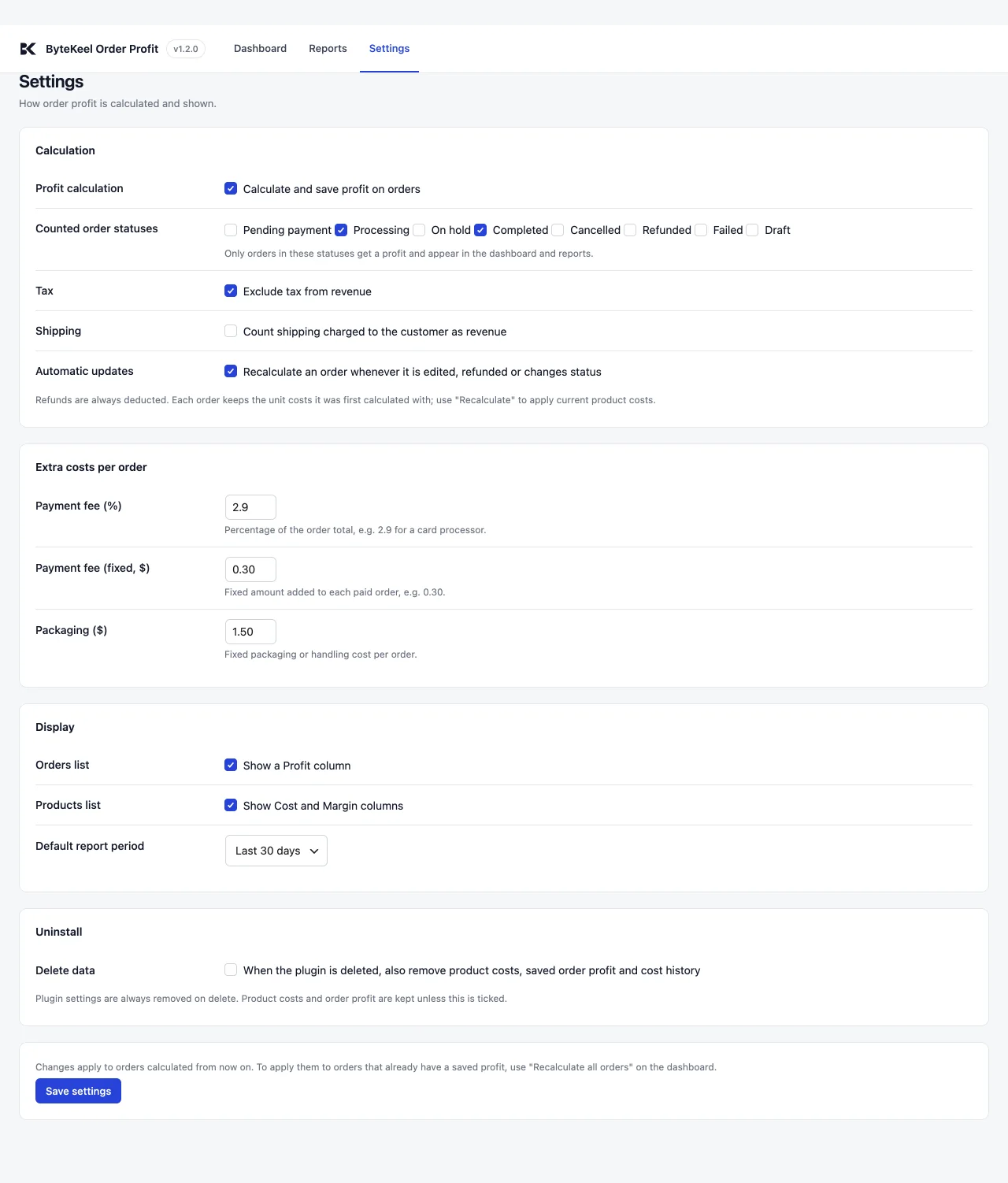
A plugin such as ByteKeel Order Profit keeps a cost per product and per variation and saves a profit and margin on every order in a counted status (Processing and Completed by default). By default revenue excludes tax and refunds, shipping charged to the customer is not counted as revenue, and you can add a payment fee and a packaging cost per order. A dashboard, date-range reports and a CSV export turn those order figures into totals.
Be aware of the trade-offs: it uses its own cost field rather than WooCommerce’s built-in one, so the two are not linked out of the box (a developer can supply costs from elsewhere with the wc_profit_calculator_product_cost filter). Each order keeps the unit costs it was first calculated with; Recalculate all orders on its dashboard applies today’s costs to every counted order, which is also how you fill in orders placed before you installed it.
Running both
Nothing breaks if both are active, but you will see two different cost totals on the order screen and have two places to keep up to date. WooCommerce itself says you need to decide which source is best for you. Pick one place to type costs and, if you need the other, bridge it with code or an import rather than typing twice.
Frequently asked questions
Does WooCommerce calculate profit by itself now?
No. It stores and shows cost of goods per order, but it does not show a profit figure or a profit report in Analytics.
Will turning on built-in COGS fill in my old orders?
No. Costs are saved with orders placed after you enter them. Older orders need a plugin or a spreadsheet to estimate their cost.
Can I set different costs for each variation?
With the built-in feature, yes: the parent cost is a default and each variation can override it.
Is a profit plugin still worth it?
If you want a net profit and margin on each order, and monthly totals, without a spreadsheet, yes. If you only need cost totals for your accountant, the built-in feature plus an export may be enough.
Did this answer the question? No — open a support request